
Android · Open testing
Melozo: Add Music to Video
Melozo adds music to your videos and shows you how it will sound before you mix. Pick a video and a song, and a big waveform lays the music over your clip: where the song starts, how the fade-out falls, where it loops and where the beats land. Everything runs on your phone, and your videos never leave it.
A look inside
What it does
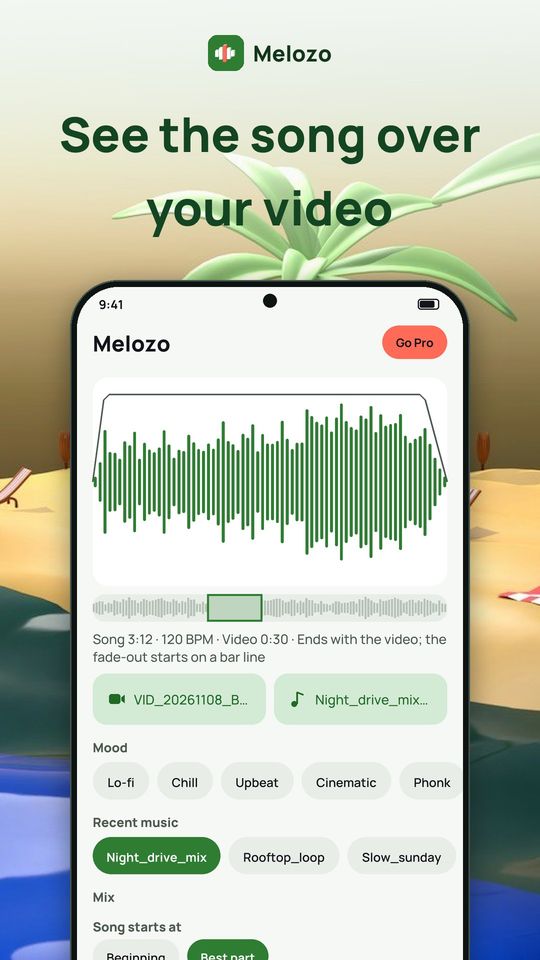
See the song over your video
- Home is a big waveform of the song as it will play over your clip, with the fade line drawn on top
- A strip under it shows the whole song and the part your video uses
- One line tells you the song length, its tempo in BPM, the video length and what will happen at the end
- Pick the video and the music with the system pickers; recent music is one tap away
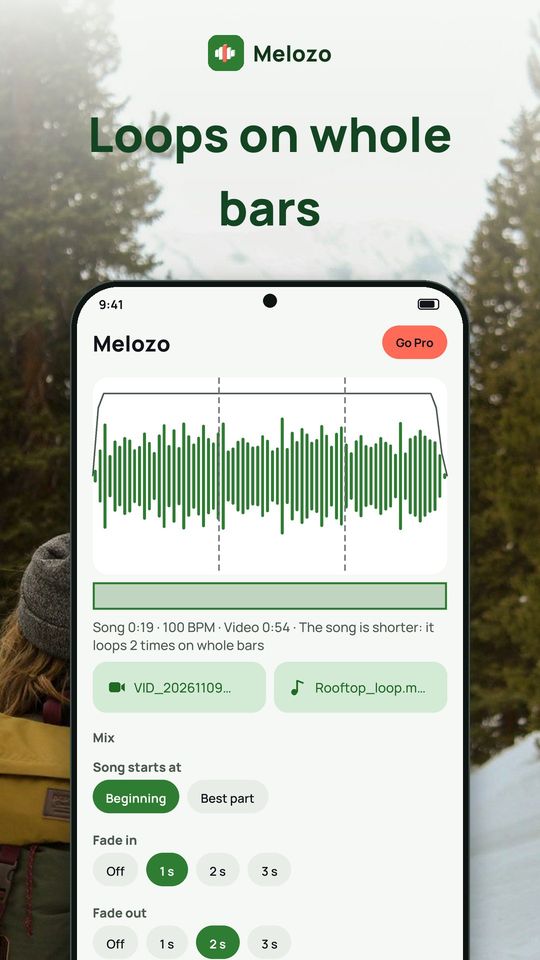
Fit the song to the video
- When the song is longer, it ends with the video and the fade-out starts on a bar line, not in the middle of a bar
- When it is shorter, it loops on whole bars and the loop points are marked on the waveform
- Start the song at its beginning or at its best part
- Fade in and fade out of up to 3 seconds, with a linear, soft or S-curve shape you can see on the waveform
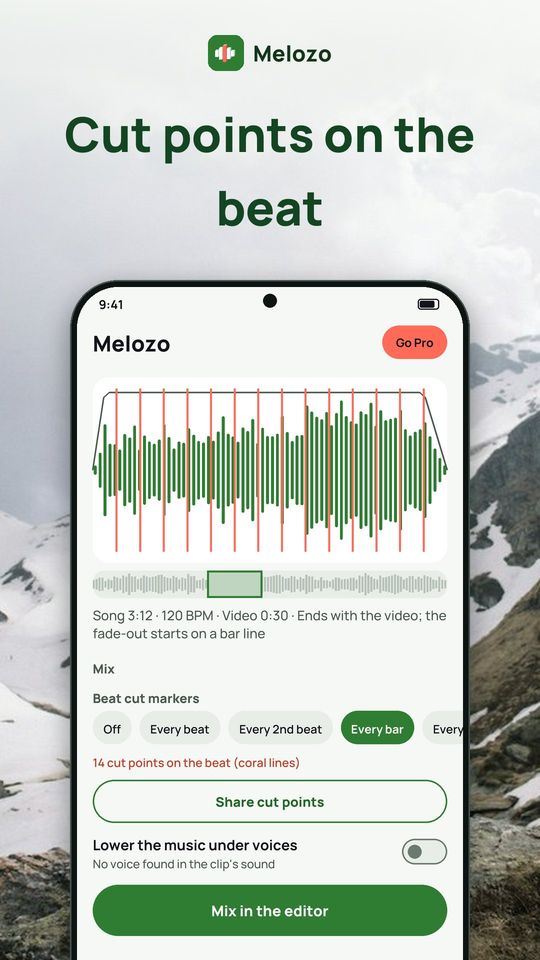
Cut to the beat
- Cut points on every beat, every 2nd beat, every bar or every 2 bars, drawn as coral lines on the waveform
- Share the cut points as a list of timestamps to use while you edit
- Beat cut: cut a long video down to the beat of a song
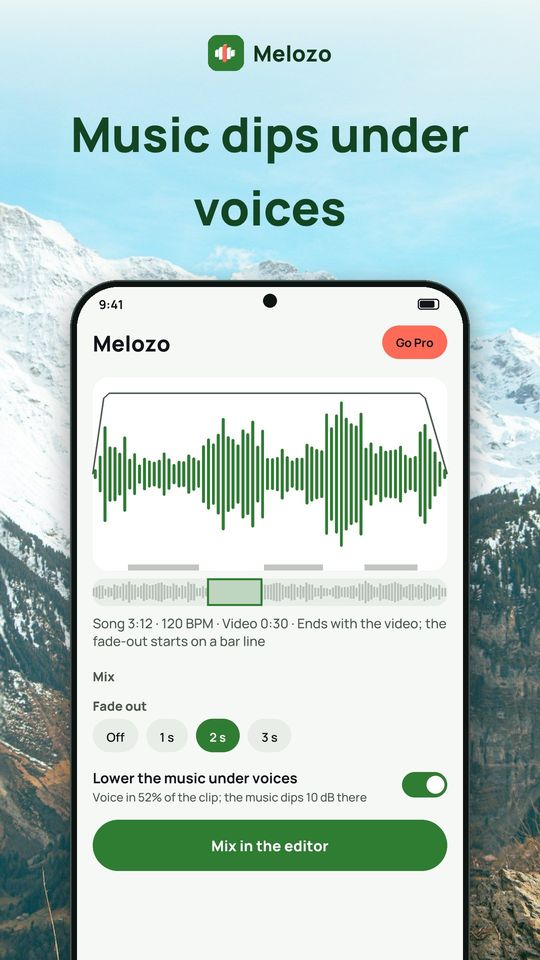
Keep voices clear
- Lower the music under voices: Melozo listens to the sound of your clip, tells you how much of it has speech and how far the music will dip
- Set the music volume and the original sound separately, or mute the original
- Record a voice-over while the video plays
- Reduce background noise and change the voice in the original sound
Free and Premium
Free: with ads and 5 exports a day. Premium removes all ads and adds unlimited exports and the options marked as Premium in the app, such as starting the song at any moment, music above 100%, voice effects, lowering music under speech, all sound effects, more than two tracks, beat cut and every music style. Plans: monthly, yearly with a 3-day free trial, or a one-time lifetime purchase. Free audio-to-video clips carry a small Melozo mark.
Privacy
Videos and music are edited on your phone. Melozo never uploads them, and no account is needed. You choose files with the system picker, so Melozo only sees what you pick. The microphone is used only if you record a voice-over. Install Melozo and put your next song on your video.